 f2999c30f3
* Convert weather-forecast to LitElement

Part of https://github.com/home-assistant/home-assistant-polymer/issues/2095

Not sure how RTL works and how to apply it.

Also, thinking I should update if the forecast changes and not just the state. Input?

* Revert "Convert weather-forecast to LitElement"

This reverts commit e1893b0a83f5973df7a28e5d30c3d4d0496155a1.

* Filter out null badges

Closes https://github.com/home-assistant/home-assistant-polymer/issues/2974

* address review comments

* Update hui-view.ts
Home Assistant Polymer 
This is the repository for the official Home Assistant frontend.
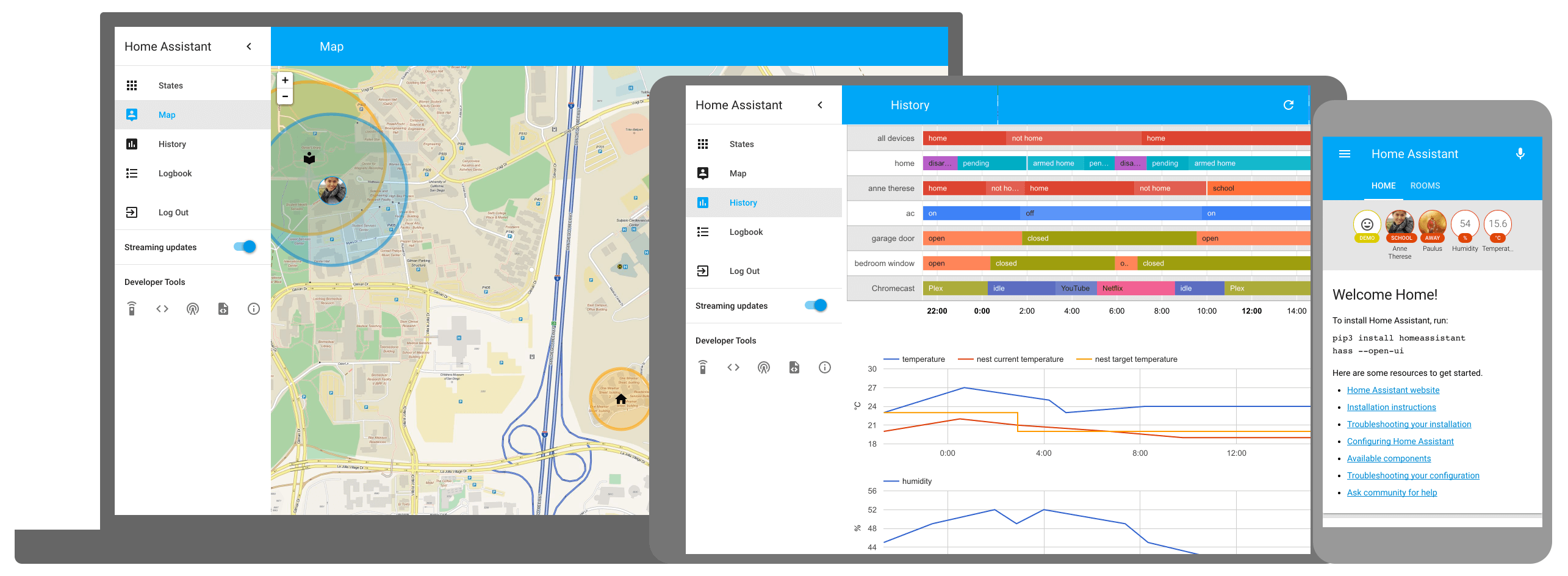
- View demo of the Polymer frontend
- More information about Home Assistant
- Frontend development instructions
Development
- Initial setup:
script/setup - Development: Instructions
- Production build:
script/build_frontend - Gallery:
cd gallery && script/develop_gallery - Hass.io: Instructions
Frontend development
Classic environment
A complete guide can be found at the following link. It describes a short guide for the build of project.
Docker environment
It is possible to compile the project and/or run commands in the development environment having only the Docker pre-installed in the system. On the root of project you can do:
sh ./script/docker_run.sh buildBuild all the project with one commandsh ./script/docker_run.sh bashOpen an interactive shell (the same environment generated by the classic environment) where you can run commands. This bash work on your project directory and any change on your file is automatically present within your build bash.
Note: if you have installed npm in addition to the docker, you can use the commands npm run docker_build and npm run bash to get a full build or bash as explained above
License
Home Assistant is open-source and Apache 2 licensed. Feel free to browse the repository, learn and reuse parts in your own projects.